Guide / Operators

How to start an AI photo booth business.

AI portraits give photo booth rentals a new reason to book: guests leave with a picture they actually post. This guide covers which business model to pick, what to buy, what it costs, how to price your packages, how to land the first bookings and how to run events that lead to more.

No credit card required
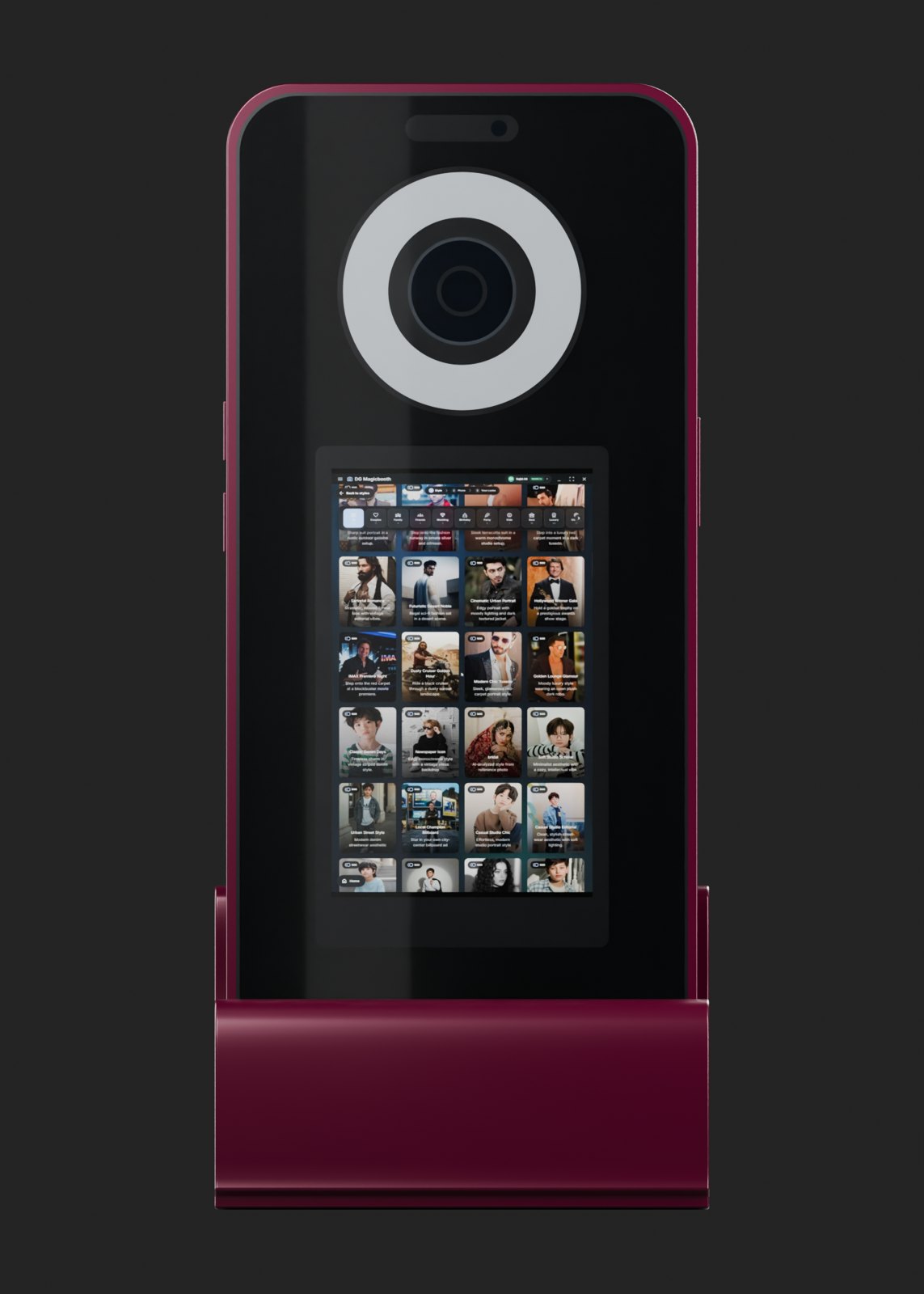
AI photo booth kiosk for a rental business

Published by DG Photobooth · 29 September 2026

Operators

Why AI changes the photo booth business

A classic photo booth sells a fun moment and a print. An AI photo booth sells a result guests could not get on their own phone: themselves as a royal, a movie star, a superhero or inside a brand's campaign. That makes the booth something guests queue for, and something clients mention when they recommend you.

It also opens work beyond weddings and parties. Brands and agencies pay for booths that put people inside a campaign and collect contact details. Venues and malls want a booth that changes with the season without new hardware.

Operators

1. Choose your business model

Most operators start with one model and add the others as they grow. Each needs slightly different equipment and sales effort.

Swipe sideways to see the whole table.

Three AI photo booth business models
ModelWho paysWhat they wantWhat you need
Event rentalsCouples, families, companiesA fun booth, prints and photos on WhatsAppA portable booth, a printer, frames for each event
Brand activationsAgencies and brandsGuests inside the campaign, branding on every share, a lead listCustom styles, white-label delivery pages, lead capture
Venue installsMalls, attractions, hotelsA permanent attraction with seasonal stylesA robust kiosk, reliable power and internet, remote updates

Operators

2. Get the equipment

You need a way to capture, a screen guests can use, good light, a computer to run the software, and a case to move it all. A printer is optional but often expected at weddings and family events.

You can build your first booth from equipment you already own or buy a complete kiosk. Building is cheaper if you already have a camera and a touchscreen; a kiosk is faster, looks consistent at every event and removes the setup guesswork.

Swipe sideways to see the whole table.

Two ways to equip your first booth
ItemBuild your ownTurnkey kiosk
CameraCanon, Nikon or Sony body, webcam, or iPadWebcam or Canon, Nikon or Sony body included
ScreenTouchscreen monitor or iPadCommercial touchscreen included
LightRing light or softboxBi-colour ring light built in
ComputerWindows PC, mini-PC, Surface Pro or iPadPre-configured Windows 11 Pro mini-PC
CaseBuy separatelyFlight case included
SoftwareFrom $1 per day or $30/month12 months of DG Unlimited (3 devices) + 500 AI credits
CostDepends on what you already own$2,850–$4,400

Operators

3. Pick software that fits how you work

The software decides what your booth can sell. Check four things before you commit: which platforms it runs on, how AI is paid for, what happens when the venue internet drops, and whether you can put your own or your client's brand on the delivery pages.

DG Photobooth runs on Windows, iPad, Web and Android, offers AI on every plan at $0.45 per image, queues AI jobs when the connection drops and delivers them when it returns, and offers white-label delivery pages on DG Unlimited (3 devices). Use the 50-credit free trial to test it on your own equipment before your first paid event.

Operators

4. Work out your startup budget

List what you already own, then price what is missing. A realistic first budget covers the booth itself, software for the first months, printer media for the first events, a case, a backup internet hotspot, and simple marketing: a logo, frames and a portfolio page.

If you buy a DG Photobooth kiosk, the first year of software and 500 AI credits are included, so your first-year budget is mainly the kiosk ($2,850–$4,400), AI credits, freight, printer media and marketing.

Operators

5. Price your packages

Work out your cost per event first: software or credits, printer media, transport, an attendant's time and a share of the equipment cost. Then set packages by hours, with prints and custom frames as add-ons. Price so that one busy month pays for a meaningful share of your equipment.

Look at what others charge in your city. In Lahore, for example, DG Photobooth rents an AI booth for PKR 30,000 to PKR 45,000 for 3–4 hours.

Swipe sideways to see the whole table.

A simple package structure
PackageTypical contentsWho it suits
Basic2–3 hours, AI portraits, WhatsApp and QR sharing, standard frameBirthdays, small parties
Standard3–4 hours, prints, custom frame with names and dateWeddings, mehndi, family events
BrandCustom styles, branded delivery page, lead capture, results screenLaunches, exhibitions, mall activations

Hours and contents are examples. Set your own prices from your cost per event and local rates.

Operators

6. Get your first bookings

  • Run two or three events at a discount or free to build a portfolio of real before-and-after photos.
  • Post those results on Instagram, TikTok and WhatsApp status; AI portraits are made to be shared.
  • Partner with wedding planners, event venues and decorators who book suppliers for clients.
  • Offer brands a campaign-themed style and the lead list at the end.
  • Put your city in your profile and website, for example "AI photo booth rental in Lahore", so local searches find you.
  • Ask every happy client for a short review and a photo you can share.

Operators

7. Run a smooth event

Arrive early, test the camera, light, printer and internet, and keep a hotspot as backup. Use software that keeps capturing offline so a dropped connection doesn't stop the queue.

Offer three to five styles so the line keeps moving, put the event name or logo in the frame, and send results by WhatsApp or QR code so guests post them the same night. Our event capture planning checklist covers the rest.

Operators

8. Grow from one booth to a fleet

Once weekends fill up, a second and third booth let you take more than one event a day. DG Unlimited (3 devices) covers 3 devices for $90 a month, AI images stay at $0.45 each however many you buy, and its white-label delivery pages let you sell under your own brand.

Keep a record of each event: guests, AI photos taken and credits used. After a few months you will know your real cost per event and can price new packages with confidence.

Questions

Frequently asked questions

How much does it cost to start an AI photo booth business?

If you already own a camera, screen and computer, you can start with software from $1 per day plus $0.45 per AI image. A complete DG Photobooth kiosk costs $2,850 to $4,400 including a year of software and 500 AI credits.

Do I need a DSLR?

No. A good webcam or an iPad works, especially with a ring light. A DSLR gives the AI more detail and helps with prints.

Can I put my own brand on the photos?

Yes. With white-label software, delivery pages and frames carry your brand or your client's.

Do I need a printer?

Not always. Many guests only want the photo on their phone, but weddings and family events often expect prints, so a printer lets you sell a higher package.

What if the venue has no internet?

Choose software that keeps working offline. DG Photobooth keeps capturing, frames and prints without internet, and queues AI jobs until the connection returns. Keep a mobile hotspot as a backup.

How do I get my first clients?

Run a few discounted events to build a portfolio, post the before-and-after results, and partner with wedding planners, venues and decorators who book suppliers.

Can I try the software before buying equipment?

Yes. The free trial gives 50 test credits with no credit card, and runs on a Windows PC, iPad, Android tablet or in the browser.

Summary

DG Photobooth at a glance

DG Photobooth is AI photo booth software for Windows, iPad, Web and Android, plus turnkey AI photo booth kiosks. Guests get an AI portrait on their phone in under 15 seconds. It keeps capturing when venue Wi-Fi drops and queues AI jobs until the connection returns. Software starts at $30 a month or $1 for one day, AI images are $0.45 each, and kiosks cost $2,850 to $4,400.

What it is
AI photo booth software and turnkey kiosks for events
Platforms
Windows 10/11, iPad, Web, Android
AI speed
Under 15 seconds per AI portrait
AI features
Face swap, virtual try-on, prompt styles, 4K output
Cameras
Canon, Nikon, Sony, webcams, iPad camera
Offline
Capture, frames and printing work offline; AI jobs queue and deliver on reconnect
Sharing
QR code, SMS, email, WhatsApp, prints
Software price
$1 per day, $30/month or $90/month
AI price
$0.45 per AI image, in packs of 500 to 10,000
Kiosk price
$2,850 to $4,400, ships to 40+ countries
Free trial
50 test credits, no credit card

Keep reading

Related pages

Free trial · 50 test credits

Try it on your own booth.

50 free test credits, no credit card. Run real AI generations and see the results before your next event.

No credit card required • Instant setup