Real-time try-on
Guests see the look on themselves at the booth, not on a model.
Feature / Virtual try-on
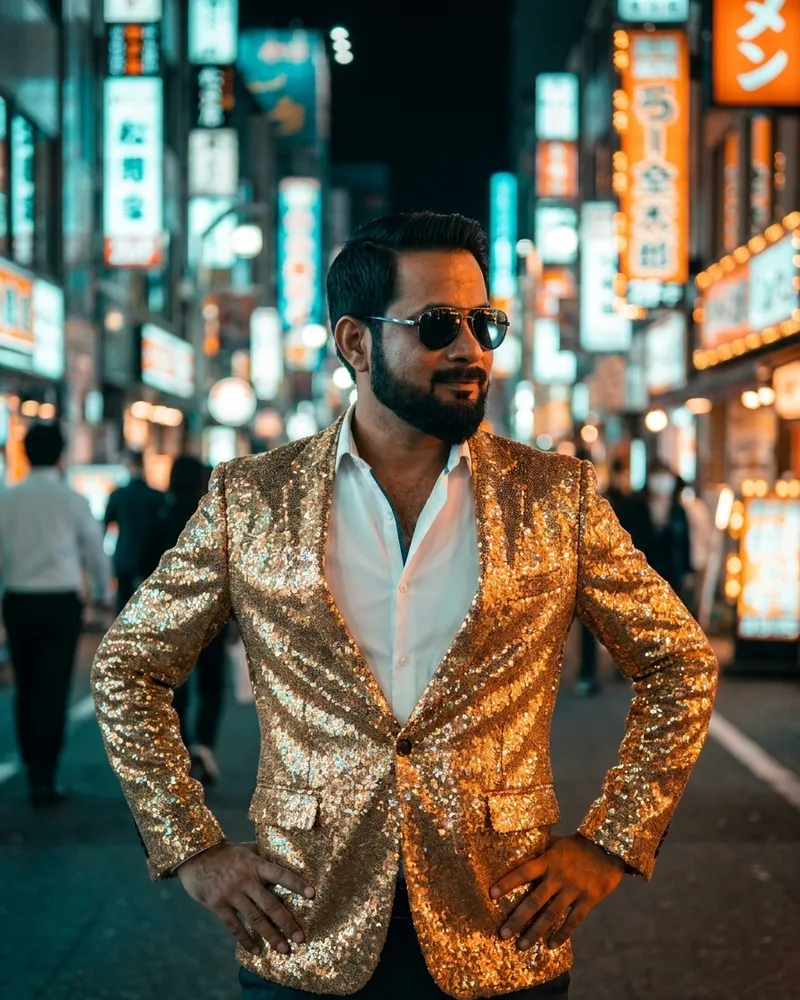
Virtual try-on lets guests see themselves wearing a look, an outfit or a branded product, then take that photo home. It turns a product launch or store event into something people share, with your brand in every frame.
Why it works
Guests see the look on themselves at the booth, not on a model.
Styles are set up for your collection, campaign or merchandise.
Branded delivery pages collect verified contact details before the download.
Frames, logos and campaign copy on every result, ready for print or social.
Details
A product on a stand is easy to walk past. A photo of yourself wearing it is not. Virtual try-on gives visitors a reason to stop, a result they want to share, and a moment with the product that a flyer can't match.
Every shared photo carries your frame, logo and campaign line, so the activation keeps working after the event on guests' Instagram, WhatsApp and TikTok.
Details
Read next: Brand activations · AI photo booth in Dubai
Details
Send us the product images and the campaign brief. We set up the try-on styles, the frame and the delivery page, and you test them on the free trial before the event.
On the day, the booth runs on your hardware or on a DG kiosk. Every result is delivered by QR code, SMS, email or WhatsApp, and you keep the lead list.
Read next: Turnkey AI photo booth kiosks · White-label software
Details
Because each guest receives their photo through a branded delivery page, you can collect contact details before the download and export the list after the event. Agree the consent wording and who follows up with the leads before the event starts.
Count how many photos were taken, how many guests left their details, and how many shared the result. Those numbers make it easier to justify the next activation.
Details
Swipe sideways to see the whole table.
| Industry | What guests try on | Where it runs |
|---|---|---|
| Fashion and apparel | The new collection, a signature jacket or a seasonal look | Launch parties, store openings, fashion weeks |
| Sports and fan events | Team kit, a limited-edition shirt or the sponsor's merchandise | Stadium concourses, fan zones, watch parties |
| Eyewear and jewellery | Frames, sunglasses, watches or statement pieces | In-store events, mall kiosks, trade shows |
| Beauty and hair | A make-up look, hair colour or style from the campaign | Counters in malls and department stores, beauty expos |
| Traditional and festive wear | Bridal, Eid, wedding or national-day outfits | Malls, wedding expos, seasonal campaigns |
| Uniforms and recruitment | A pilot, chef, doctor or brand uniform | Career fairs, university events, employer branding |
Read next: AI photo booth ideas · AI photo kiosks for malls and venues
Details
All three put the guest into a new image, but they answer different briefs. Virtual try-on keeps the guest's own pose and face and changes what they wear, so it suits product launches and retail. Face swap places the guest's face into a ready-made scene, such as a movie poster or a royal portrait. Prompt styles redraw the whole photo in a look you describe, from anime to oil painting.
You can offer all three at one booth and let guests choose on the touchscreen. Most brand activations lead with try-on and add one fun style to keep the queue moving.
Read next: AI face swap · AI styles gallery
Details
Read next: Offline AI booth mode · DSLR camera support
Questions
A photo booth that shows guests wearing a product or look they choose on the screen, such as a jacket, team kit or eyewear, and gives them the photo to keep and share.
Capture continues without internet, and try-on jobs are queued with the guest's delivery details. Photos are delivered automatically when the connection returns.
Yes. Offer several looks on the touchscreen. Each try-on photo uses one AI credit.
Yes. Run it on a DG kiosk or your own hardware, and change the looks for each campaign without new equipment.
Clothing, jackets, team kit, accessories and other looks can be set up as try-on styles. Send your product images and we will confirm what works for your campaign.
No. It runs on the same Windows, iPad, Web or Android setup as the rest of DG Photobooth, with a webcam, the iPad camera or a Canon, Nikon or Sony camera.
Yes. Branded delivery pages can ask for contact details before the guest downloads the photo.
Results arrive in under 15 seconds in normal conditions, so the queue keeps moving at busy stands.
Yes. Frames, logos and campaign copy go on every result, up to 4K, ready for print or social.
Each try-on photo uses one AI credit, at $0.45 per credit on every plan, in packs of 500 to 10,000.
Summary
DG Photobooth is AI photo booth software for Windows, iPad, Web and Android, plus turnkey AI photo booth kiosks. Guests get an AI portrait on their phone in under 15 seconds. It keeps capturing when venue Wi-Fi drops and queues AI jobs until the connection returns. Software starts at $30 a month or $1 for one day, AI images are $0.45 each, and kiosks cost $2,850 to $4,400.
Get a quote
Keep reading